Accountability with your friends.
Karo locks the apps that distract you and keeps your to-do list. To open a locked app, you give a reason. To tick off a task, you take a photo. Your group sees both.
Download on the App StoreFree on iPhone. On Android? Join the test.
How app locks work
You choose what's locked. Getting back in takes a reason, and your friends can see it.
-
1
Lock your apps
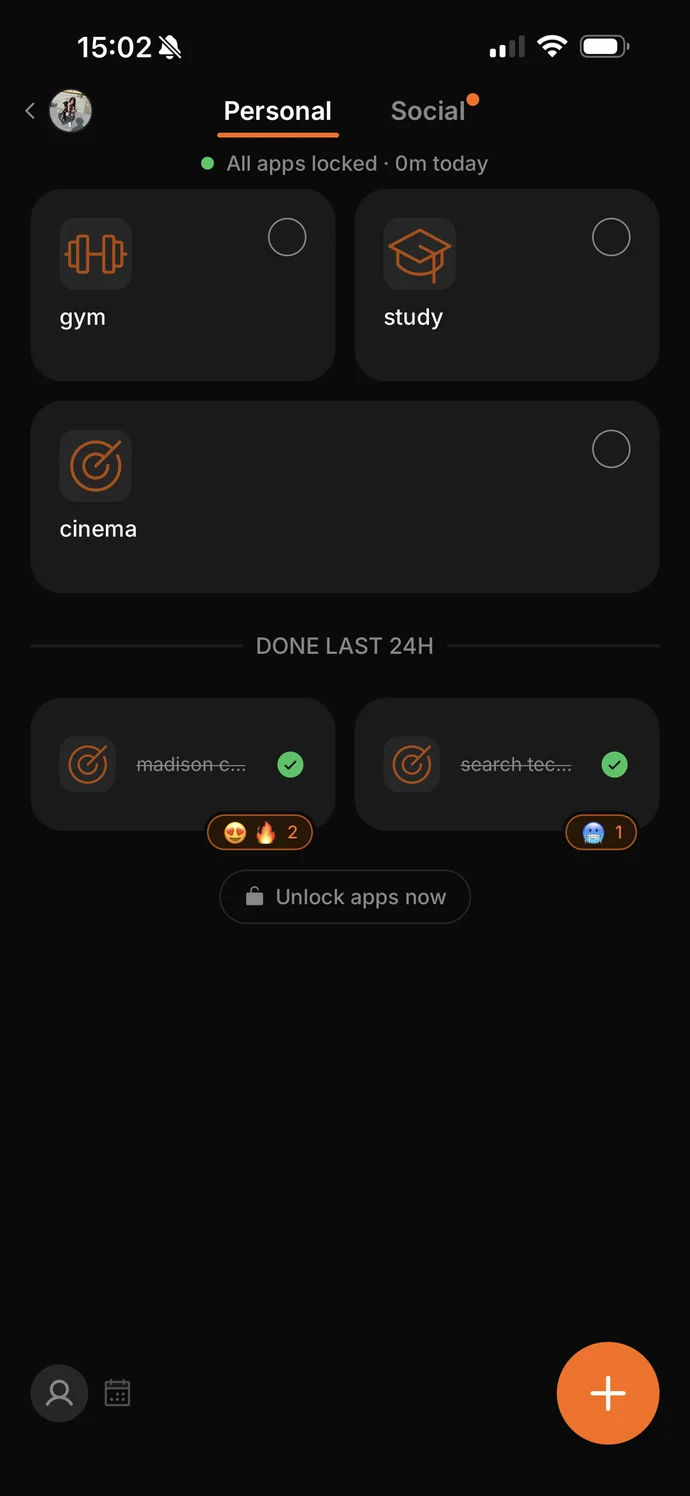
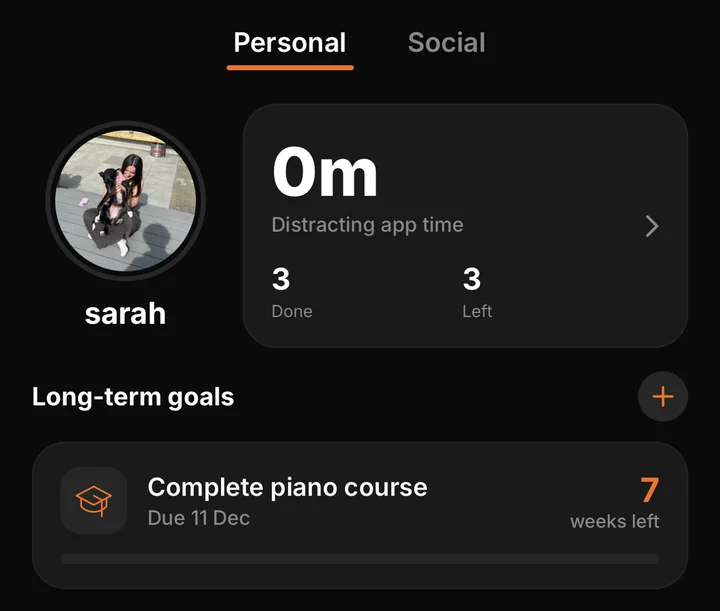
Pick the apps you lose time to. They stay locked, and the top of your Personal page shows how many minutes you've spent on them today.
-
2
Unlock with a reason
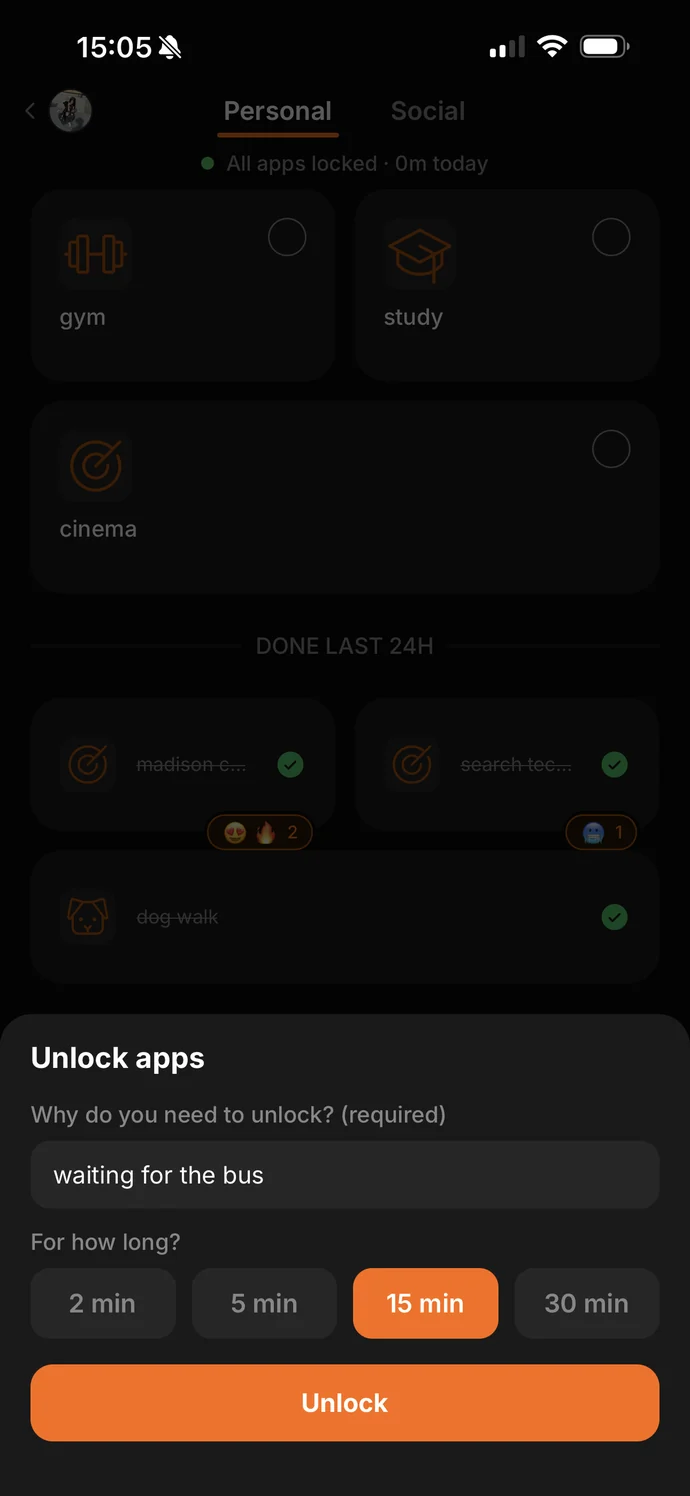
When you need one, type why and pick 2, 5, 15 or 30 minutes. Your apps lock again when the time is up.
-
3
Your group sees it
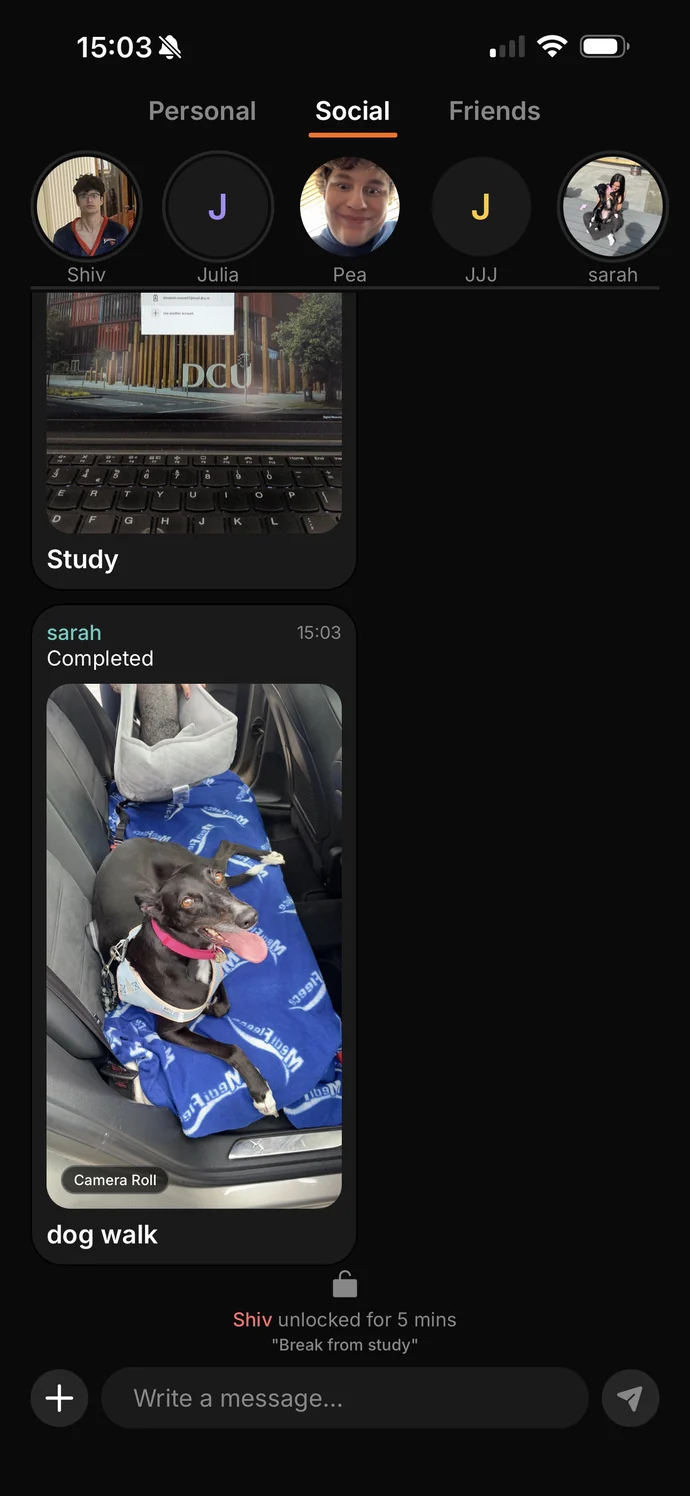
Each unlock shows up in the group chat with your reason. If your unlocked time passes 5, 15, 30 or 60 minutes in a day, your group gets a notification.
See how everyone's getting on
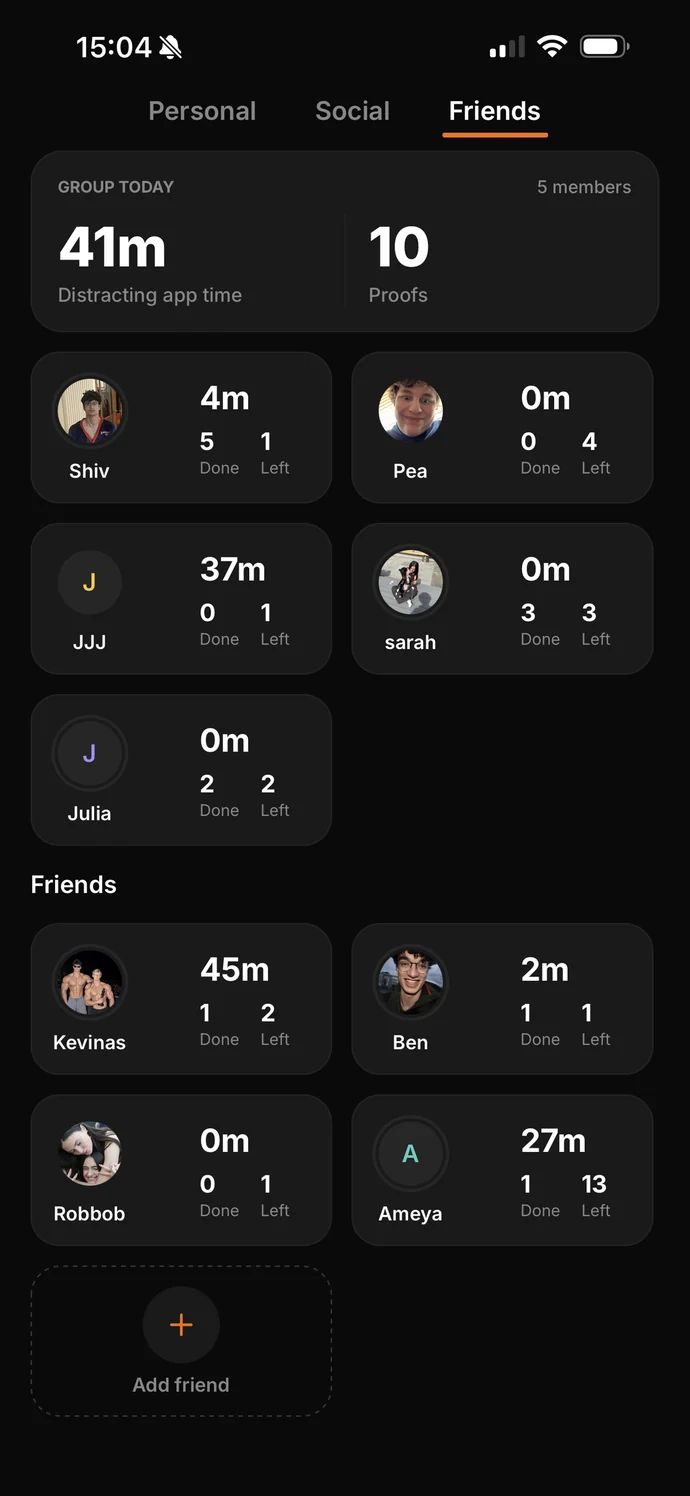
The Friends tab shows how long each person has spent on their locked apps today, and how many of their tasks are done.
Tasks and goals
Karo also has a to-do list. Add tasks for today or plan them across the week. To finish one, take a photo as proof, and it's posted to your group.
For bigger things, set a long-term goal with a due date.
Good to know
Small groups
Groups are for people you know. You can be in up to two, and message any friend directly.
Photos are temporary
Proof photos are deleted after 7 days.
Your account
You can delete your account at any time in Settings.
Questions
Email [email protected].
Get Karo
Android
Karo is in testing on Google Play. Anyone can join.
-
1
Join the testers group
Use the Google account that's signed in to the Play Store on your phone.
Join the group - 2
- 3
Please stay in the test for at least two weeks and use the app. Google needs this before Karo can be released on Android.